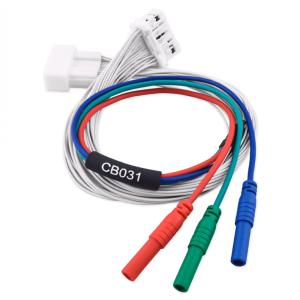
Main description:
The TN017 license allows you to reset and adapt the ID Code Box of all Toyota and Lexus models, including those manufactured in 2024.
Resetting the ID Code Box opens up major time savings for anyone working on Toyota and Lexus vehicles. Because of where the module is located, removing it normally requires extensive disassembly — this license eliminates much of that work.
Functionality:
- ID Code Box reset (via LIN bus)
- ID Code Box adaptation in the vehicle (new or reset second-hand module) to the Smart System via OBD (up to 2024)
- ID Code Box adaptation in the vehicle (new or reset second-hand module) to the Smart System via internal CAN bus (2024)
- ID Code Box adaptation in the vehicle (new or reset second-hand module) to the Engine Control Unit (ECU) via OBD
NEW:
- Replace the ID Code Box, Smart System, ECU, and hybrid modules in the latest Toyota and Lexus vehicles equipped with B6 smart keys.
When an ID Code Box replacement is needed, this license lets you reset a second-hand module and adapt it as a replacement, or adapt a brand-new module to the vehicle with ease.
Resetting the ID Code Box is required whenever the ID Code Box itself, the Smart System, and/or the Engine Control Unit (ECU) needs to be replaced. Replacing the Smart System requires pairing it with the ID Code Box — and pairing is only possible after the ID Code Box has been reset. The same applies to the Engine Control Unit.
When exchanging the Smart System or Engine Control Unit, there is no need to remove the ID Code Box from the vehicle. The ID Code Box reset is quick and straightforward whether or not the vehicle is equipped with an ESL (Electronic Steering Lock) module.
When a virgin ID Code Box is installed in the vehicle, it must be synchronized with the ECU and Smart System, and a working key is required. TN017 allows you to perform this synchronization via the OBD-II port.
Supported vehicles:
- All Toyota and Lexus models up to and including 2024
If the ID Code Box reset function is not available for the module you are working with, please contact us at support@abrites.us — you can send us the module so we can add it to the supported list.