Annual Subscription (AMS) is required for all software purchases.

Key ProgrammingMileage calbrationModule AdaptationSoftware Products

Immobilizer Data Extraction from RH850/V850 MCU dump for VAG vehicles (no crypto-core)

SKU: VN021

$475.00

Read and write Immobilizer data (RH850/V850) on VAG MQB dashboards (no crypto-core with Megamos AES key transponder) — enables spare key addition, instrument cluster exchange or cloning, and analogue-to-digital dashboard retrofit/replacement.

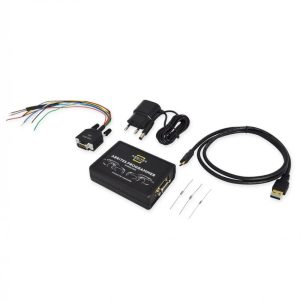
The VN021 license enables reading and writing Immobilizer data on RH850 and V850 processors used in VAG MQB dashboards with Megamos-AES keys, using the ABRITES RH850/V850 Programmer.

When reading an RH850 or V850 processor, the ABRITES Programmer displays the CS, MAC, Keys, and Power Class information. The VN021 also allows writing Immobilizer data and mileage onto VAG MQB dashboards equipped with these processors — providing full reading and writing capability for all supported RH850 and V850 processor types.

This makes the VN021 ideal for spare key addition, instrument cluster exchange (which requires extracting Immo data from both the donor and the replacement dashboard), and dashboard retrofitting — including exchanging analogue dashboards for digital (Virtual Cockpit) ones.

Functionalities:

  • Reading Immo data from a dump of RH850/V850 processors in VAG MQB dashboards
  • Writing Immo data to RH850/V850 processors in VAG MQB dashboards
  • Mileage recalibration, including on RH850 dashboards (for replacement purposes)
  • Spare key addition
  • Instrument cluster exchange or clone
  • Retrofit (analogue-to-digital dashboard exchange)

Supported vehicles:

VAG vehicles equipped with the following dashboards:

  • VDO MQB Analogue RH850
  • VDO MQB Analogue V850
  • VDO MQB Virtual Cockpit RH850
  • VDO MQB Virtual Cockpit V850
  • JCI MQB Analogue V850

Supported VAG vehicles with the following dashboards:

  • VDO MQB Analogue RH850
  • VDO MQB Analogue V850
  • VDO MQB Virtual Cockpit RH850
  • VDO MQB Virtual Cockpit V850
  • JCI MQB Analogue V850

Example: VW Golf 7 with Megamos-AES key

Abrites Diagnostics for VAG Online - Download Manual

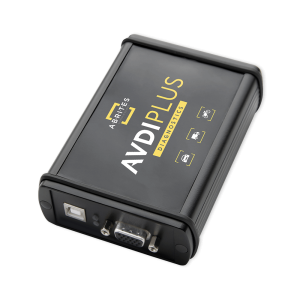
How AVDI Enhances Your Diagnostic Workflow

Discover the powerful features that make AVDI the go-to diagnostic tool for professionals in the automotive industry.
01

Connect AVDI to Your Vehicle:

Quickly establish a connection with any supported vehicle using the provided cables.
02

Run Diagnostics or Program Modules:

Conduct fault code checks, diagnostics, and module adaptations using AVDI’s user-friendly software.
03

Receive Instant Software Updates:

Stay on top of the latest developments with automatic updates directly from ABRITES, ensuring that your diagnostic capabilities are always current.
deco-dots-dark-right

What Professionals Say About Abrites

Trusted worldwide by experts for automotive diagnostic software and tools.
Car shop using Abrites software

We had an amazing experience with this company!

READ FULL TESTIMONIAL

We had an amazing experience with this company!

We highly recommend them to anyone looking for quality products and excellent service.

Abrites client
Specialist scanning a car with AVDI plus software

I have been your client for over 10 years.

READ FULL TESTIMONIAL

I have been your client for over 10 years.

You have a great team, excellent customer service, and the quality of service is at the highest possible level.

Thank you very much, and best regards!

Abrites client
Specialist reading AVDI software

I feel good about the service I received from you.

READ FULL TESTIMONIAL

I feel good about the service I received from you.

ABRITES is a good software, and it does exactly what it promises to do, unlike other machines that claim to provide the best functions but later fail to deliver.

With ABRITES, you get exactly what you’re going to use.

Thank you!

Abrites client